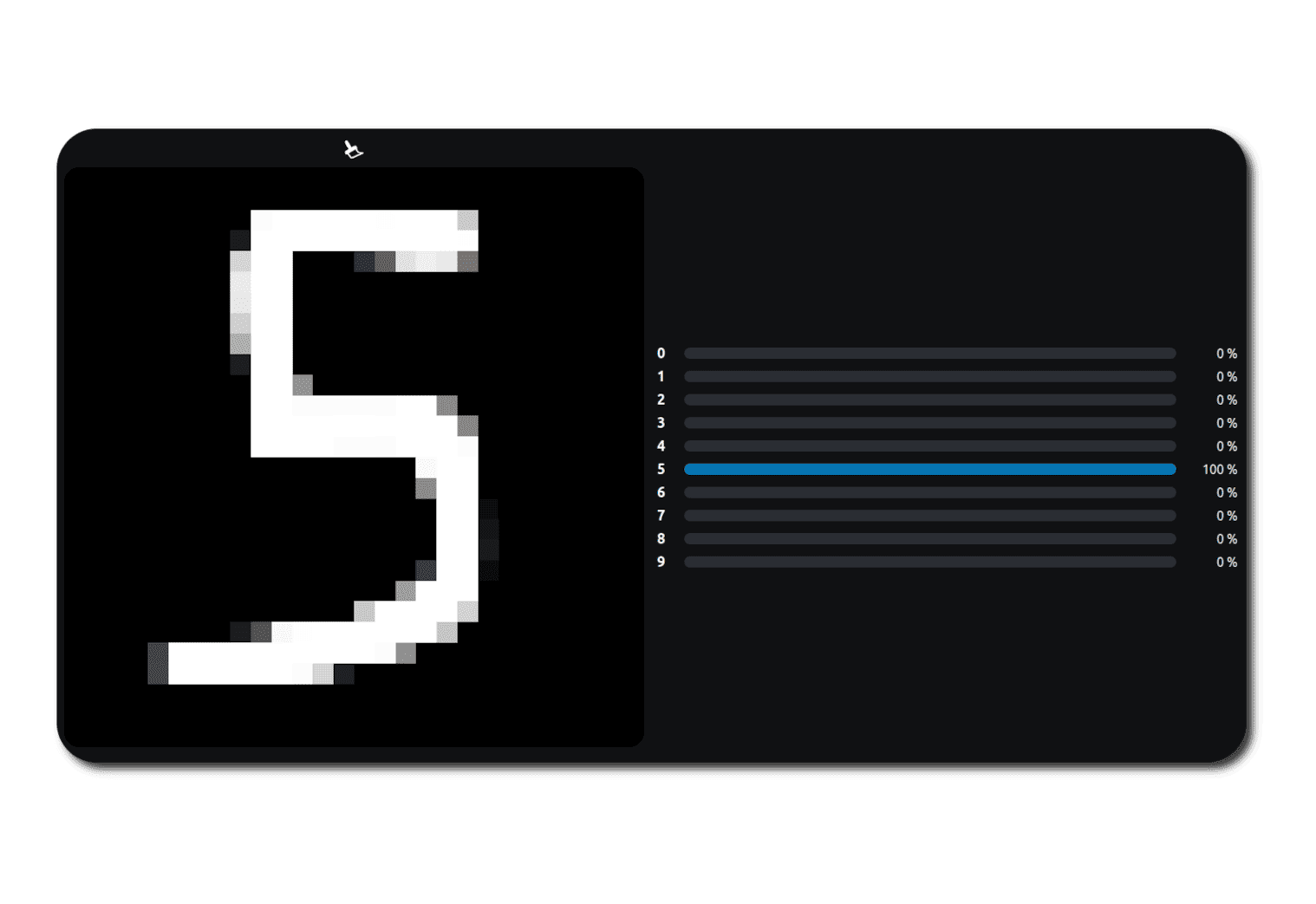
Interactive Handwritten Digit Recognition (CNN)








Digit Recognition
This project started as a fun and educational experiment.
I wanted to better understand how Convolutional Neural Networks work in practice, and push things a bit further by turning a trained model into a real, interactive web demo.
Instead of stopping at a Jupyter notebook, the goal was to go end-to-end, from training a model to actually using it in the browser.
Why this project?
I chose handwritten digit recognition because:
- It's a classic machine learning problem
- It's simple enough to iterate quickly
- It's visual, intuitive, and fun to interact with
The idea of drawing a digit and immediately seeing what a neural network “thinks” is a great way to make machine learning feel concrete instead of abstract.
By drawing digits myself, I could observe how well the model generalized to different handwriting styles. Drawing slowly also made it interesting to see how the prediction evolved in real time, as the model transitioned from one digit to another.
This project is intentionally simple. The goal wasn't to chase state-of-the-art performance, but to understand the full machine learning workflow and deployment pipeline.
Model architecture
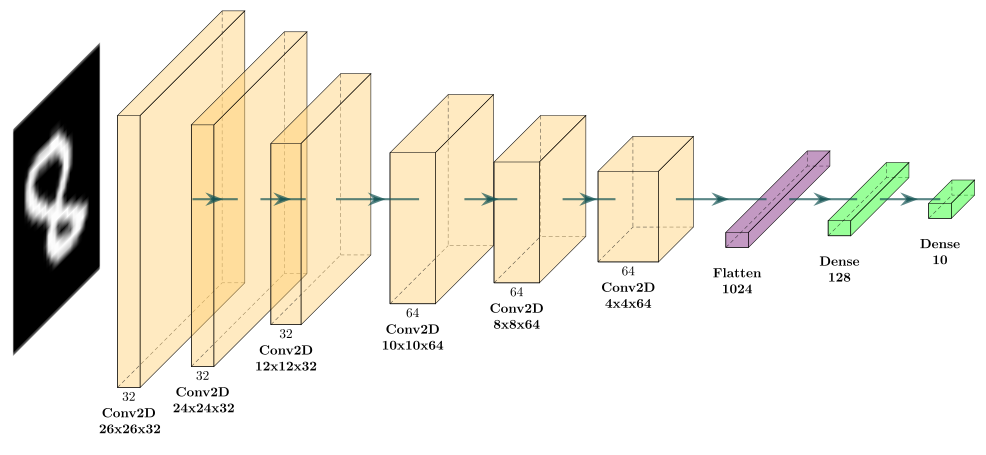
The network is a standard Convolutional Neural Network (CNN), composed of:
- Convolutional layers to extract spatial features
- Fully connected layers for classification
To improve generalization, I added dropout layers for regularization, reducing the risk of overfitting. Without this, the model would perform well on training data but behave poorly on new inputs, which would directly impact the web demo experience.
I also included batch normalization layers to stabilize and speed up training.
Training the model
The model was trained using Python, TensorFlow, and Keras inside a Jupyter notebook.
I used the MNIST dataset, which contains thousands of handwritten digits labeled from 0 to 9. Each image is small, grayscale, and well suited for convolutional networks.
If you're interested, you can check out the full notebook below for all the details.
Jupyter Notebook: Training the CNN Model
A complete Jupyter notebook demonstrating the training of a Convolutional Neural Network on the MNIST dataset using TensorFlow and Keras.
With this setup, the model reached 99.55% accuracy on the validation/test set, confirming that it learned to recognize handwritten digits effectively.
The training accuracy stabilized around 99.24%, which is very close to the validation performance. This small gap indicates that the model generalizes well and does not suffer from noticeable overfitting.
The low training and validation losses further suggest that the network learned meaningful features rather than simply memorizing the dataset, making it well suited for real-time predictions in the interactive demo.
From notebook to browser
Once the model was trained, the next challenge was deployment.
Instead of relying on a backend API, I wanted the predictions to run entirely in the browser. This led to converting the trained model to TensorFlow.js.
This approach has a few advantages:
- No server required
- Instant feedback
- Everything runs client-side
The final model is loaded directly in the browser and used for inference whenever the user draws on the canvas. This is possible because the model is relatively small and efficient, making it suitable for real-time applications.
Interactive web interface
The frontend is built with plain HTML, CSS, and JavaScript, using an HTML5 <canvas> for drawing digits.
Features include:
- Drawing with the mouse
- Clearing the canvas
- Live prediction updates
- Confidence scores for each digit
The goal here was to keep the interface minimal and focus on the interaction with the model.
Live demo
You can try the demo directly below.
Draw a digit between 0 and 9 and see how the model reacts.
Live Digit Recognition Demo
Draw a digit and see real-time predictions from the trained CNN running directly in your browser.
What I learned
This project helped me:
- Better understand CNNs beyond theory
- Learn how to train models with TensorFlow and Keras
- Learn how to deploy models using TensorFlow.js
- Appreciate the trade-offs between simplicity and performance
It also reinforced the idea that even small projects can be valuable when they're complete and interactive.
What could be improved
There are many possible extensions:
- Visualizing intermediate activations
- Trying different architectures or datasets
- Adding simple model explainability features
But for now, the project does exactly what it set out to do, and that's enough.